Chat first in VS Code. Add structure when the work needs traceability, clickable workflow steps, and repo-owned markdown.
Latest 2.5.0· AFX Skills 2.6.1 · Pi 0.82.0 · Canvas, Spec Map, skills, OAuth, image-aware chat
Free · Apache 2.0 · VS Code Marketplace · Open VSX · r/agenticflowx
Works in VS Code, VS Code Insiders, VSCodium & Antigravity (pre-2.0).

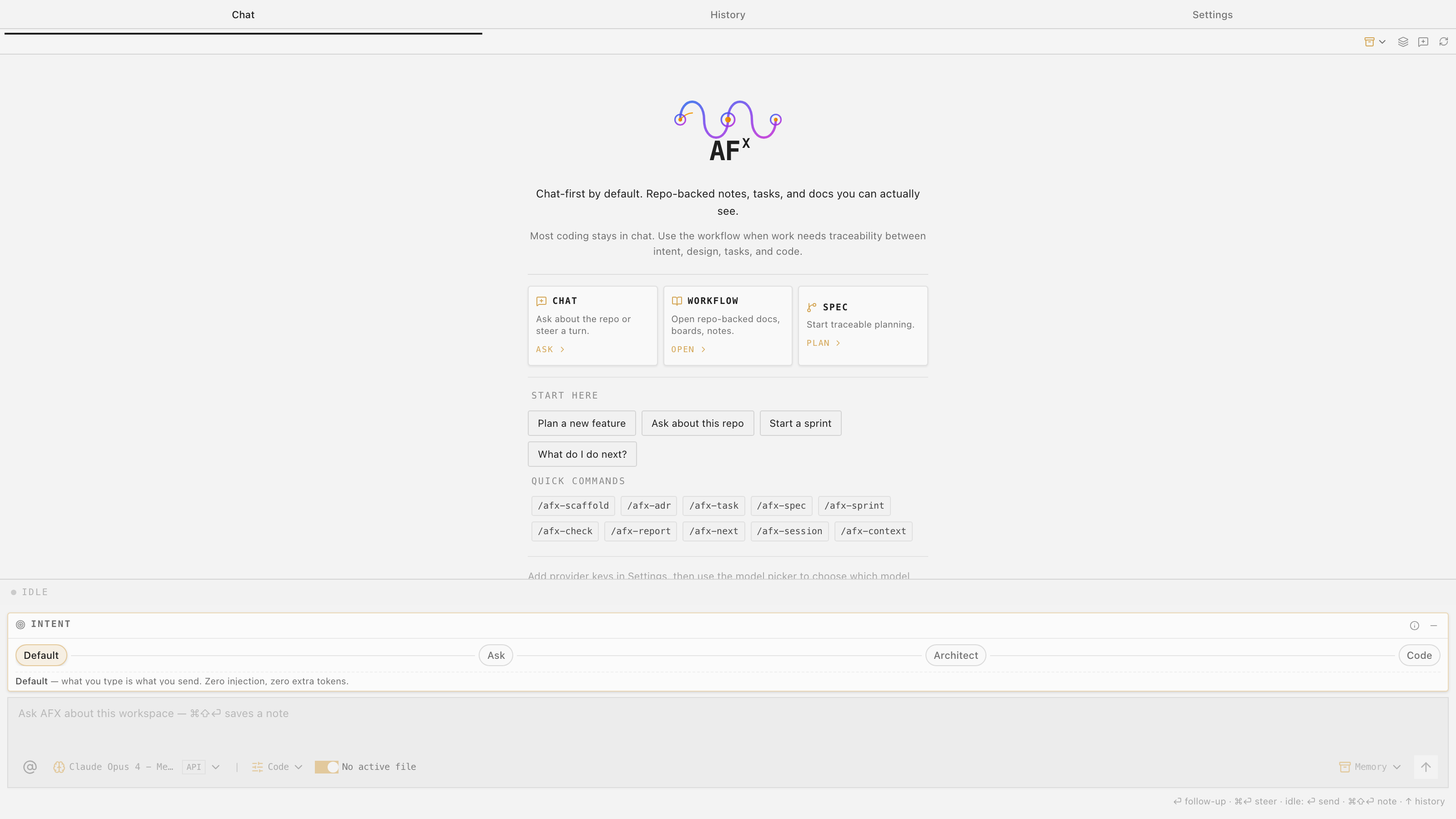
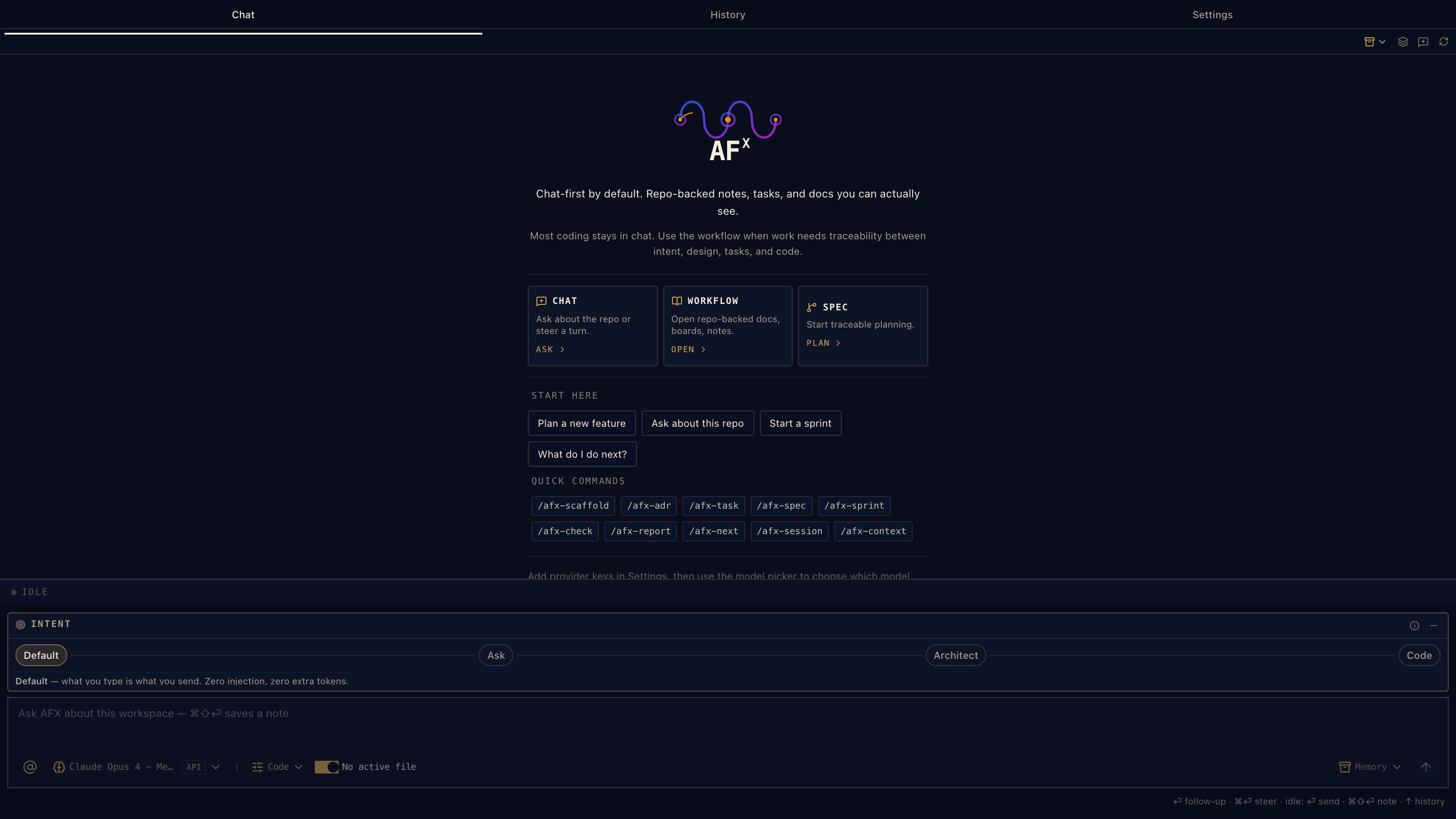
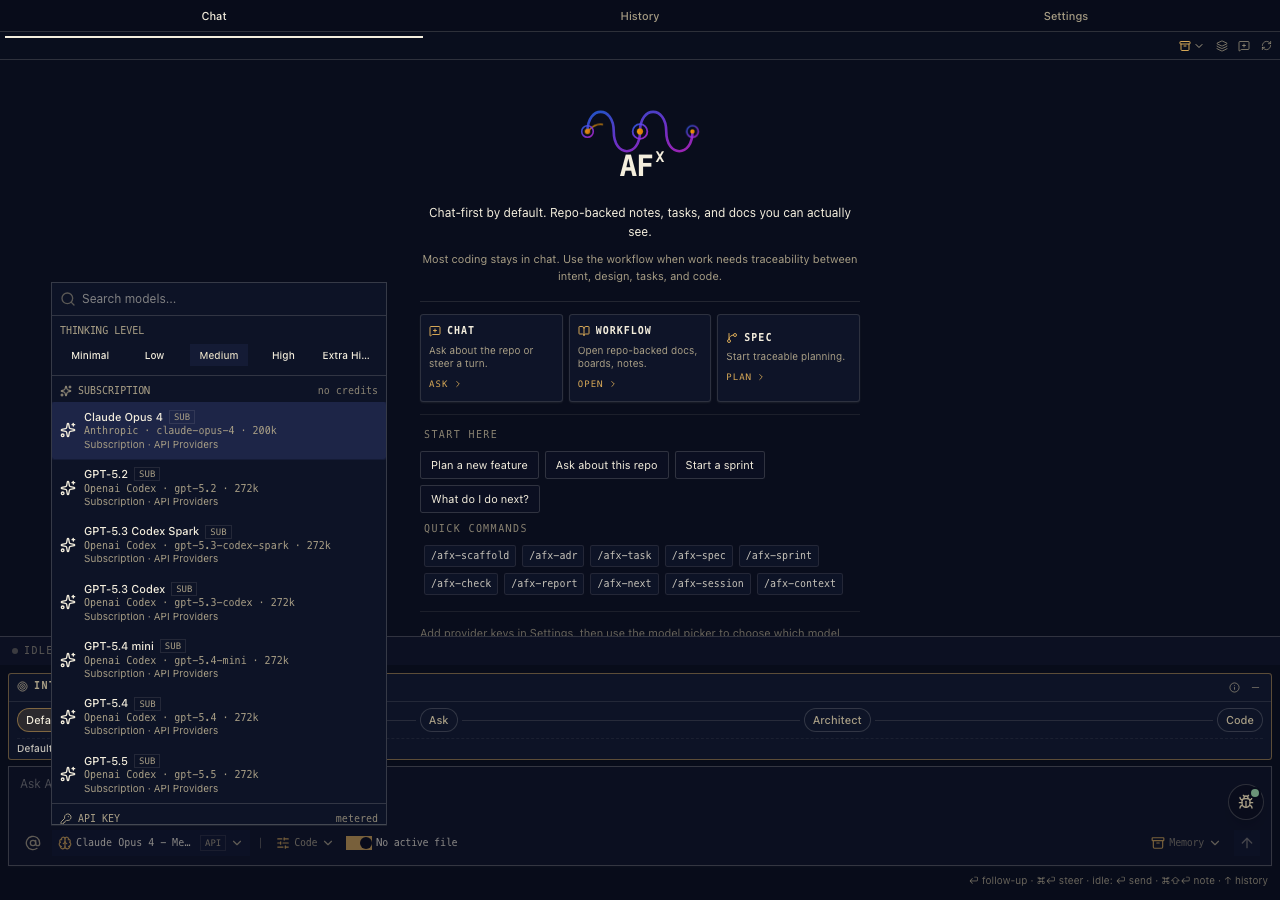
The chat panel as it opens — three ways in, quick commands, and the intent selector.
The spec-driven workflow itself: afx-workflow 2.6.1, 18 core skills, role packs, document templates, and traceability rules — written as standard skills (agentskills.io format), so Claude Code, Codex, and Copilot run the same workflow natively. A separate Apache-2.0 project.
github.com/AgenticFlowX/afx → Powered by · open sourceSessions, tools, skill discovery, thinking levels, usage reporting, image-aware model metadata, and the 33-provider catalog come from Pi 0.82.0. Bundled as an SDK — or AFX talks to your installed Pi CLI and reuses its config.
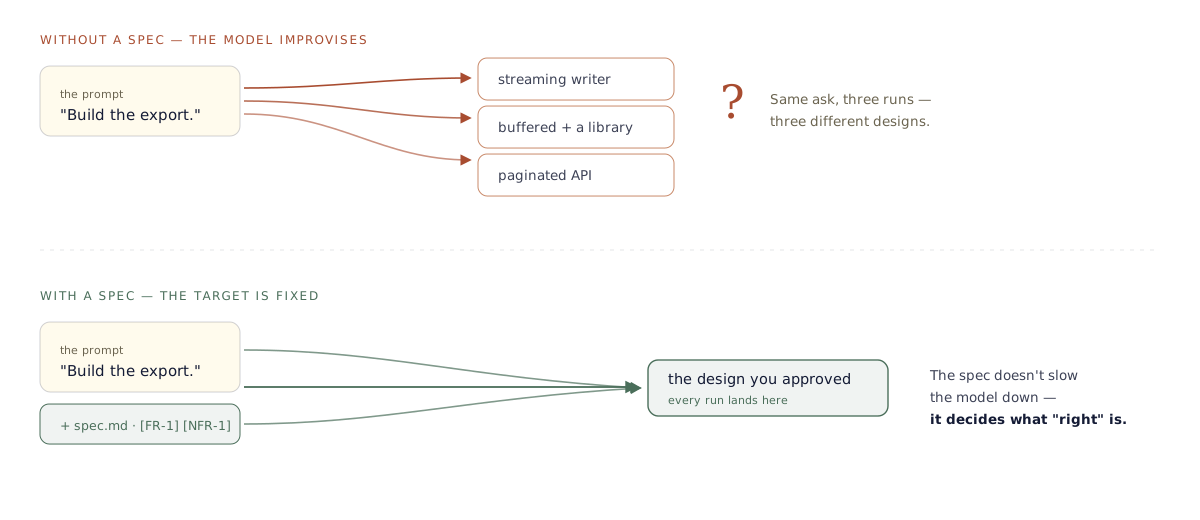
pi.dev →A capable model is non-deterministic: run the same prompt twice and you can get two different architectures. A spec doesn't slow that down — it fixes what "right" means, so each run executes toward a target instead of inventing one.
Real frustrations from people doing spec-driven work today — and how AFX answers each one.
It swears the build is green — then the first click in the actual app goes nowhere.
Nothing ships on the model's word. Verify checks the evidence per task; the Work Sessions log needs the agent's tick and your human one.
A year on, the spec still tells me what we decided — but not why, and not what we ruled out to get there.
The reasoning survives, not just the outcome. The journal keeps decisions and the verbatim prompt that changed a spec; ADRs record the roads not taken.
The spec and the code quietly diverge, and it only surfaces at PR review — if someone happens to look.
Fail the build, not the reviewer. /afx-check trace runs headless; a broken @see link surfaces as a ghost reference instead of rotting silently.
The plan was hands-off. In practice I hover over every step so the agent doesn't drift or grind to a halt.
Guardrails, not vibes. Explore mode is read-only, enforced host-side; gates stop work advancing past an unapproved spec.
Next to the rush of just vibing, all this structure feels like homework.
Start loose. Chat first, add structure only when the work earns it — and watch the Quality Pulse climb as the spec tightens.
There are a dozen spec tools now — which one is even worth learning?
One that's both. A VS Code extension and standard skills any agent runs — your models, your repo, Apache-2.0. No new editor, no lock-in.
The whole system, written for a first-timer and kept honest with real screenshots. Skim one before the tour below, or bookmark them for when you start.
Dash, Sprint, or the full spec — which to pick, the whole click-through journey, the previewer up close, and every command with its button. The struggle-ender.
Open the SDD guide → Reference · the notationEvery section of a spec, design, and tasks file — the node-ID system, what's required vs flexible, how the stepper and previewer read it, and where the notation came from. The meat, in full.
Open the reference → Guide · setupInstall, connect any model — Anthropic, DeepSeek, Ollama, llama.cpp and more — configure skills, and go headless. Copy-paste recipes for every provider.
Open help & setup →Part one
Most coding never leaves the conversation. No specs, no ceremony — just fast, repo-aware chat with the model of your choice.
Pick how each message is treated with the intent selector — Default sends exactly what you type. Zero injection, zero extra tokens.

Chat about the repo, open the workflow surfaces, or start traceable planning — the panel offers all three without forcing any.

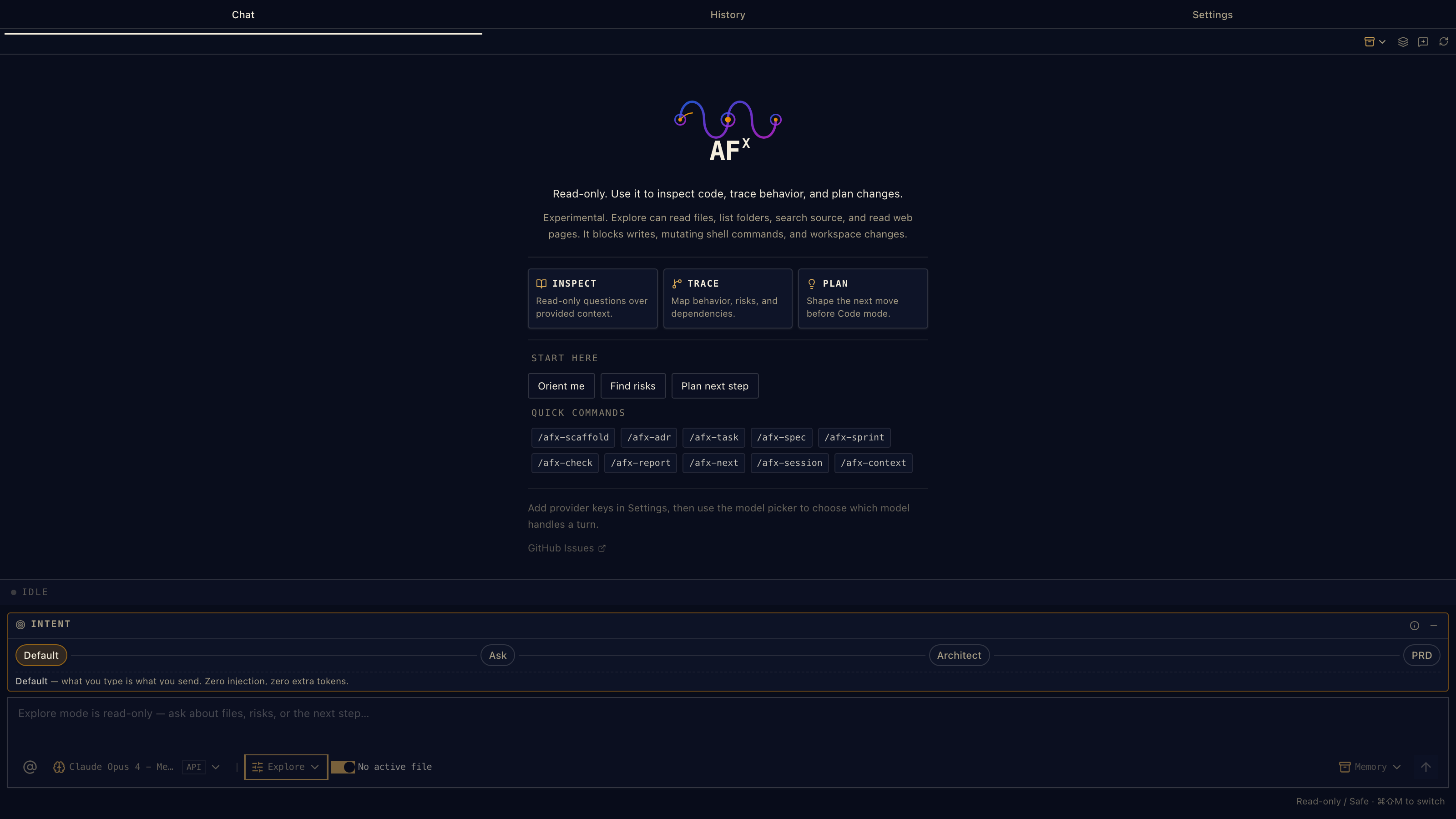
Investigate a repo without touching a line — not a polite request, a runtime guardrail: write, patch, and mutating shell tools are blocked host-side.

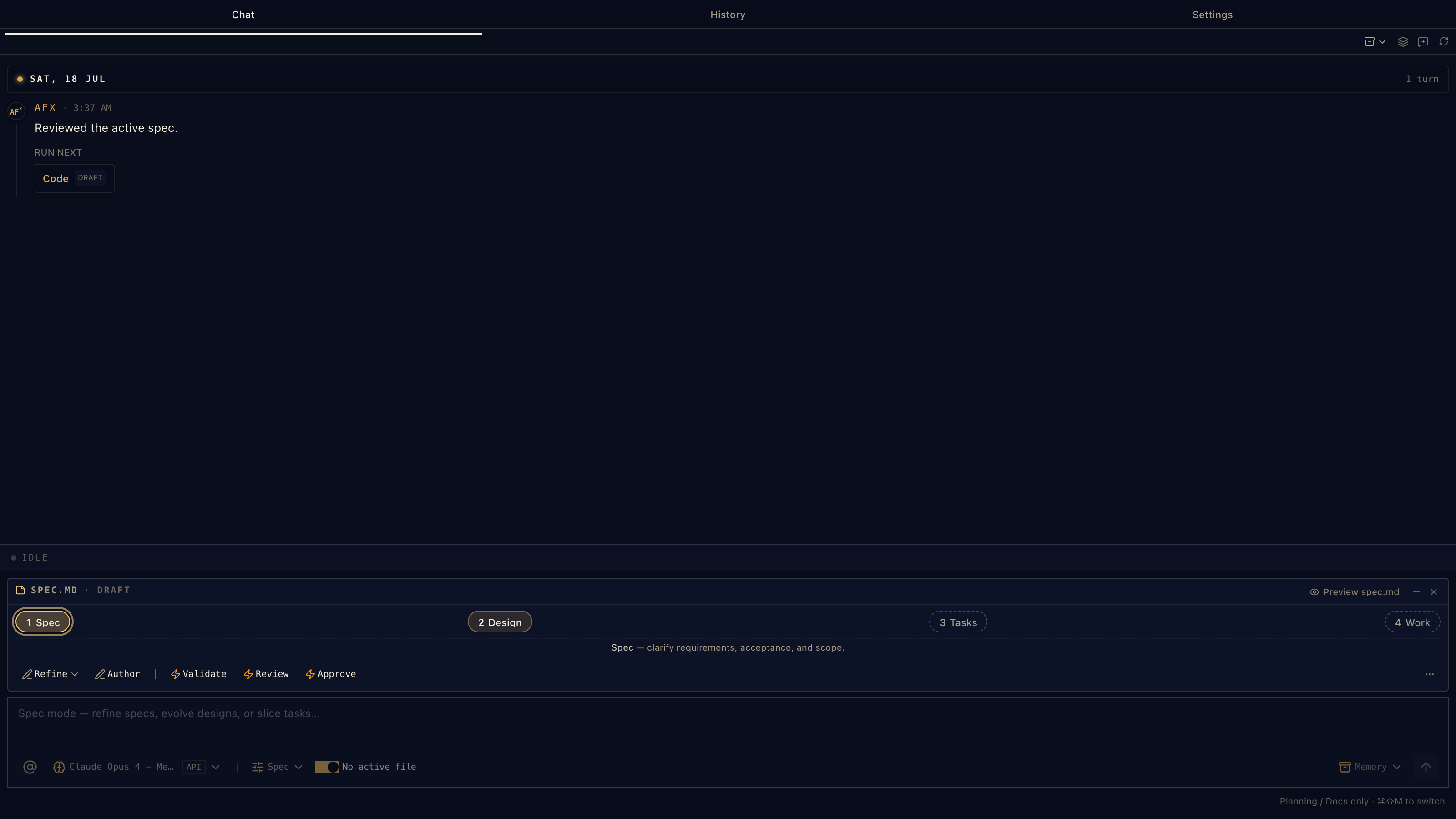
Spec mode walks serious work through the chain — the guide shows where you are and what's next, inside chat.

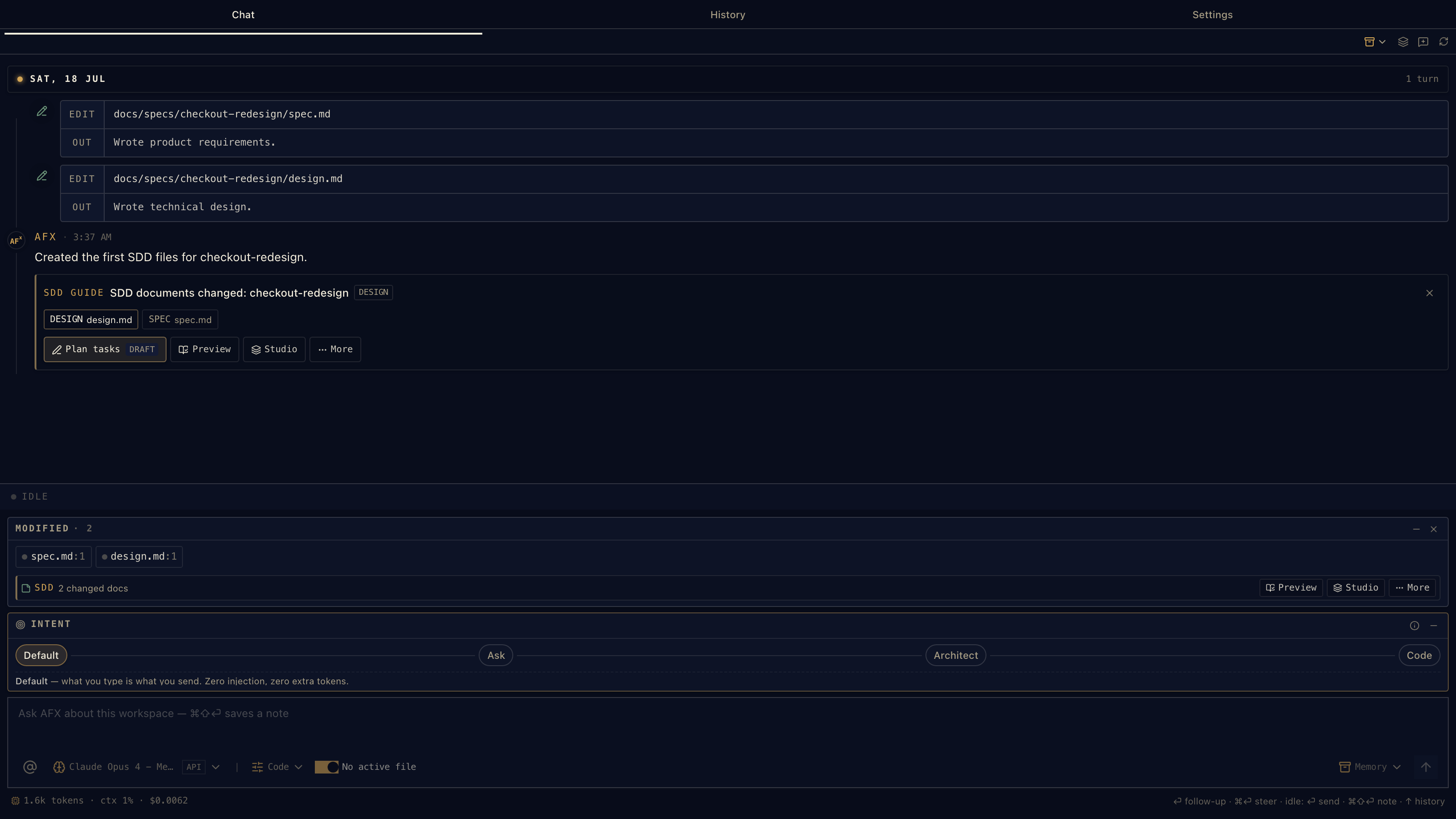
Each document step is visible — what's drafted, what's approved, what's next. Context survives between turns.

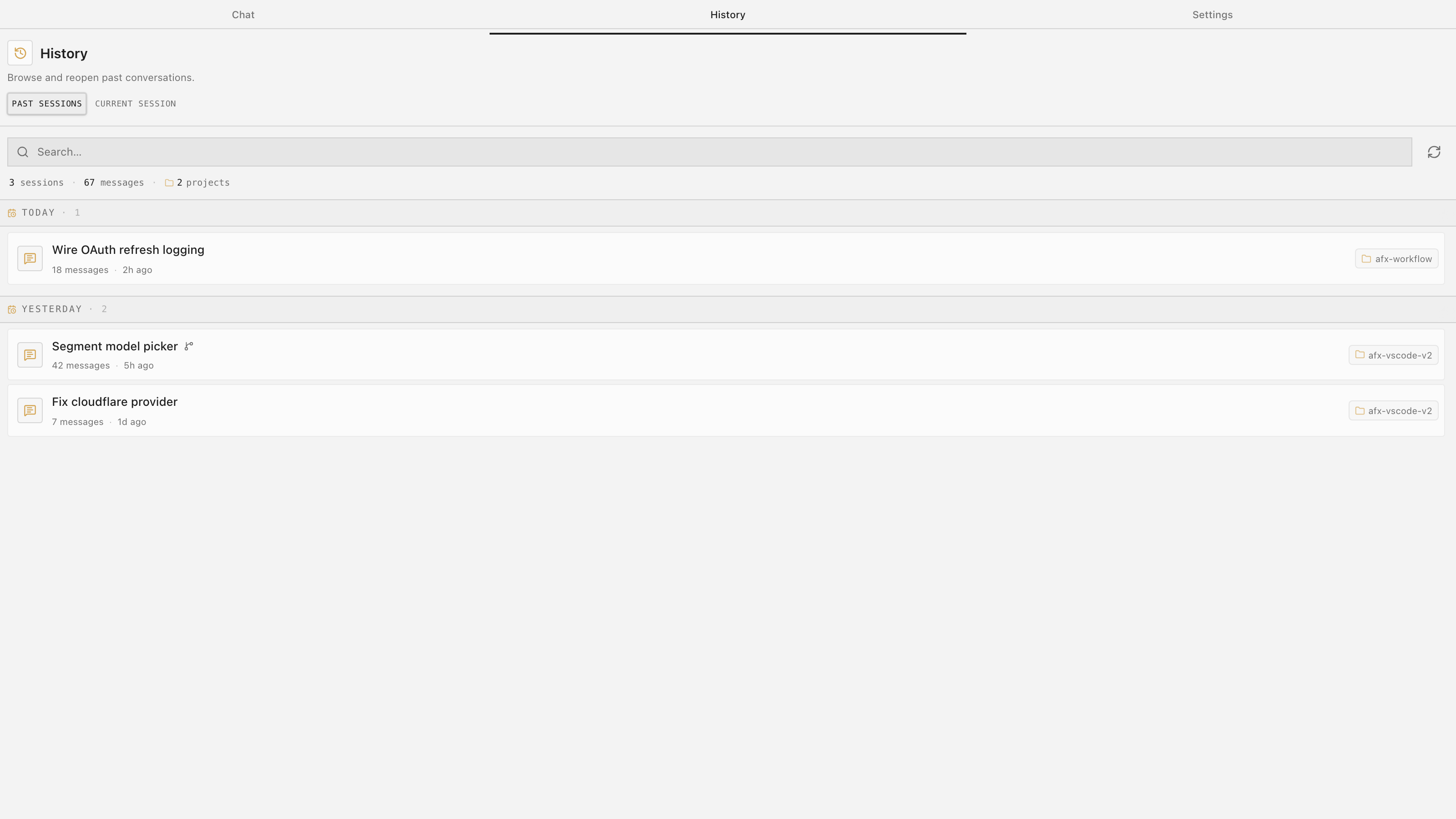
Every conversation is kept — searchable, reopenable, safe across window reloads. It keeps transcript and trace events per session.

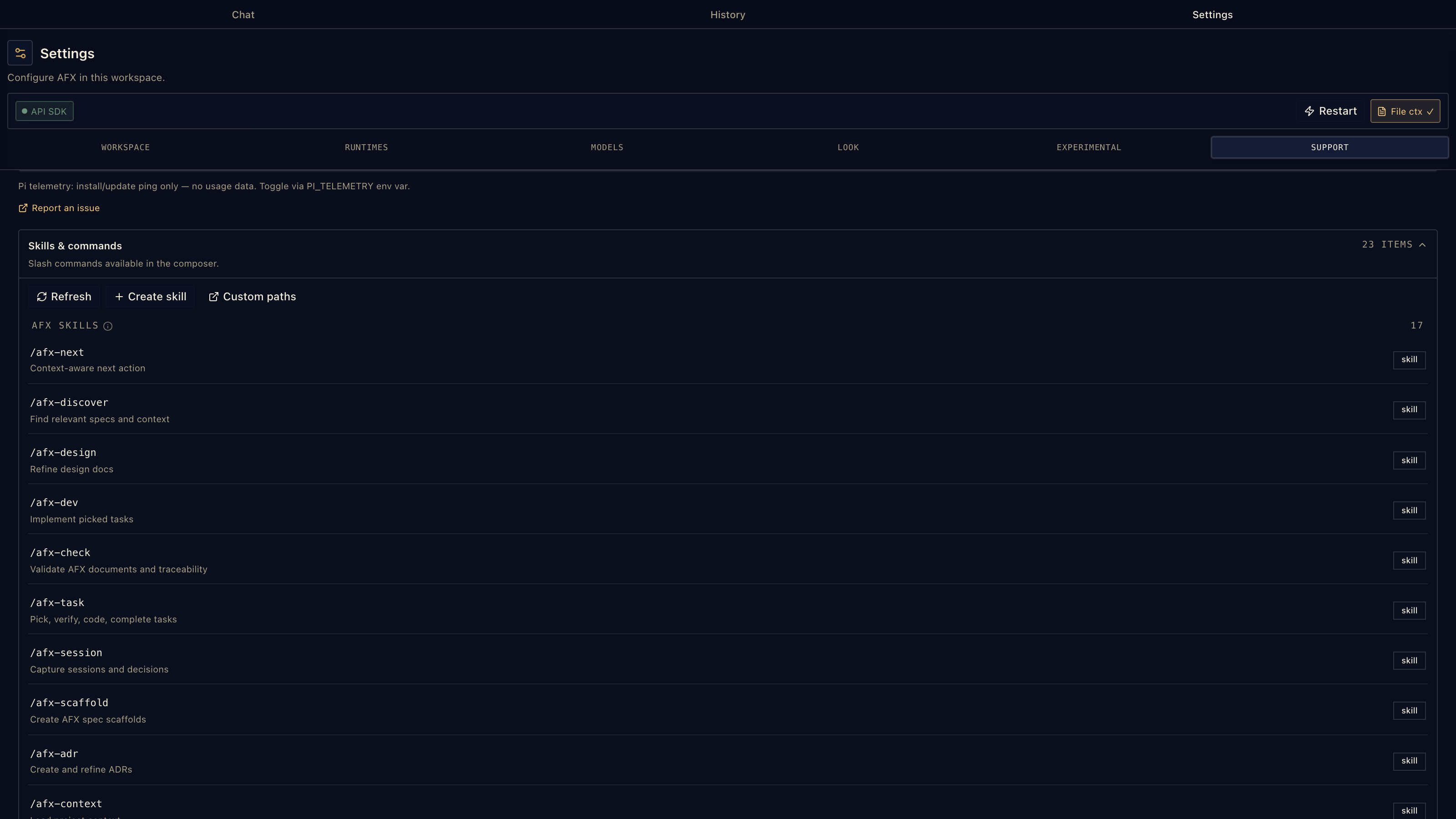
Not just AFX anymore — the extension discovers any standard skills Pi supports and loads them alongside the bundled core. Your team's skills, your personal ones, other packs.
Part two
When the work has to be traceable, reviewable, and resumable, the same chat gains structure. You opt in only when it earns its place — this is what most SDD tools stop short of.
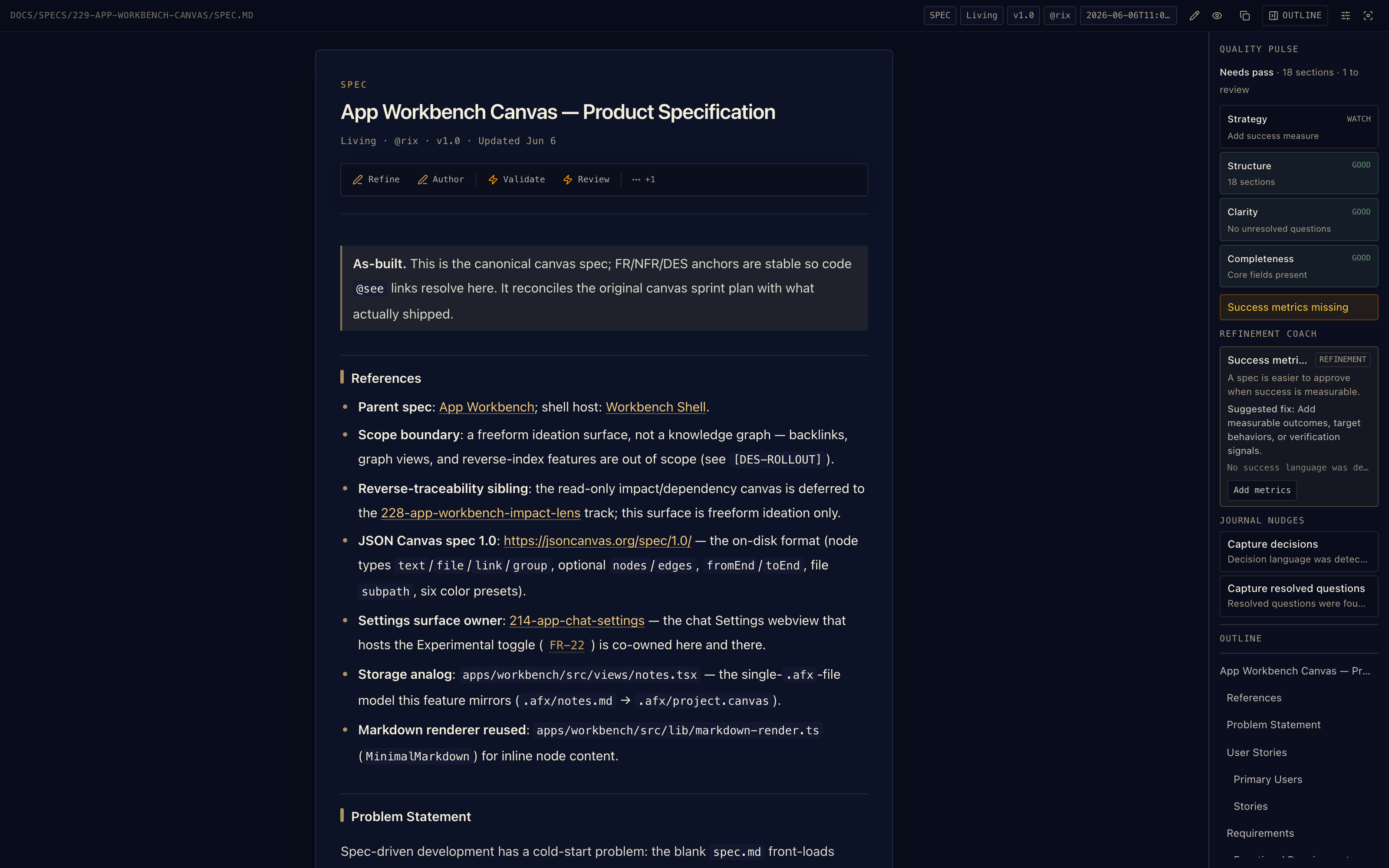
The AFX Previewer puts workflow actions on top of your repo's markdown — and Quality Pulse reviews the document as you write it: strategy, structure, clarity, completeness. The Refinement Coach suggests the fix.

A real spec from the AFX repo — status, owner, and version pills from frontmatter, document actions on the page.

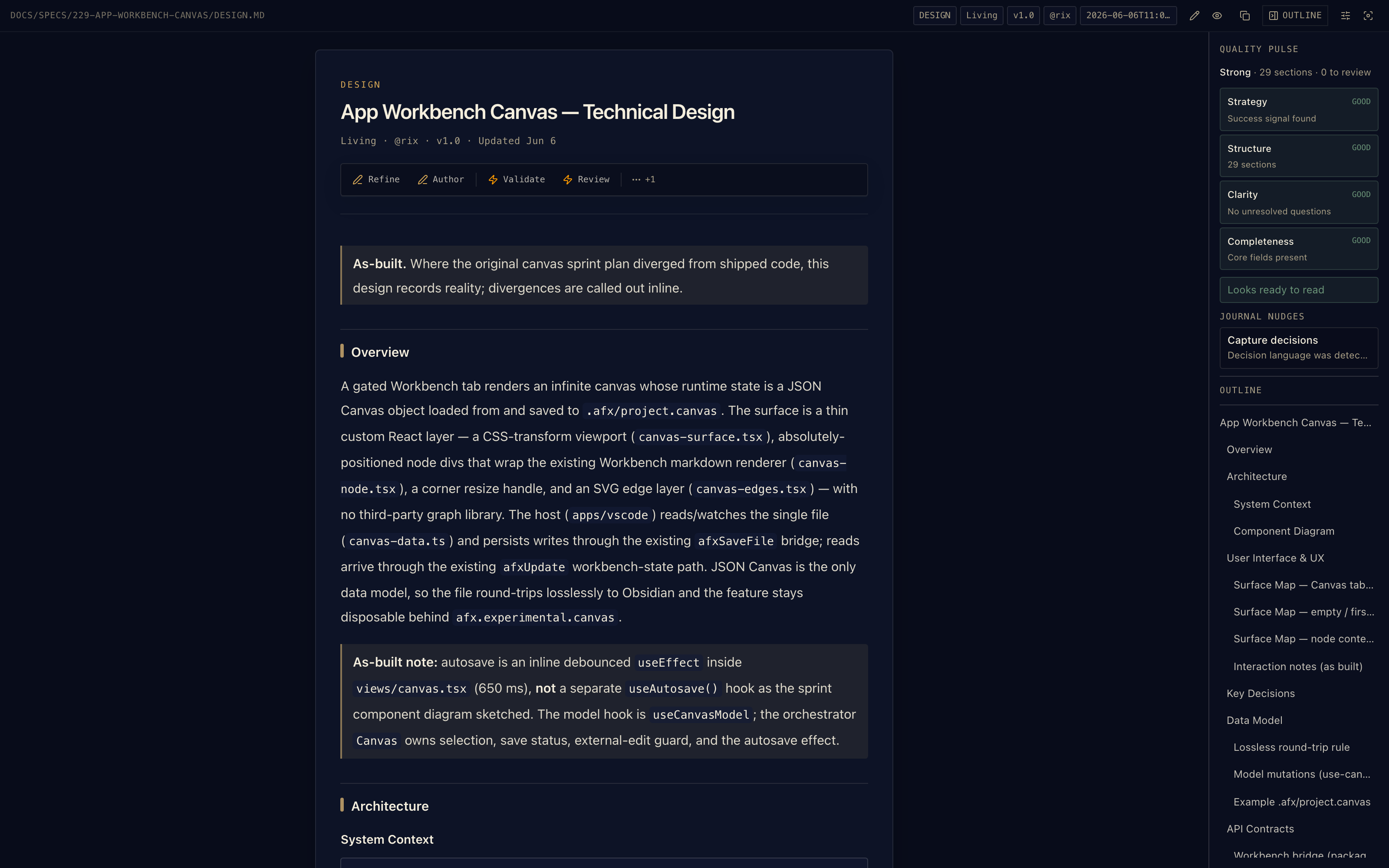
Every heading carries a [DES-…] anchor that code links back to. The outline tracks the whole document.

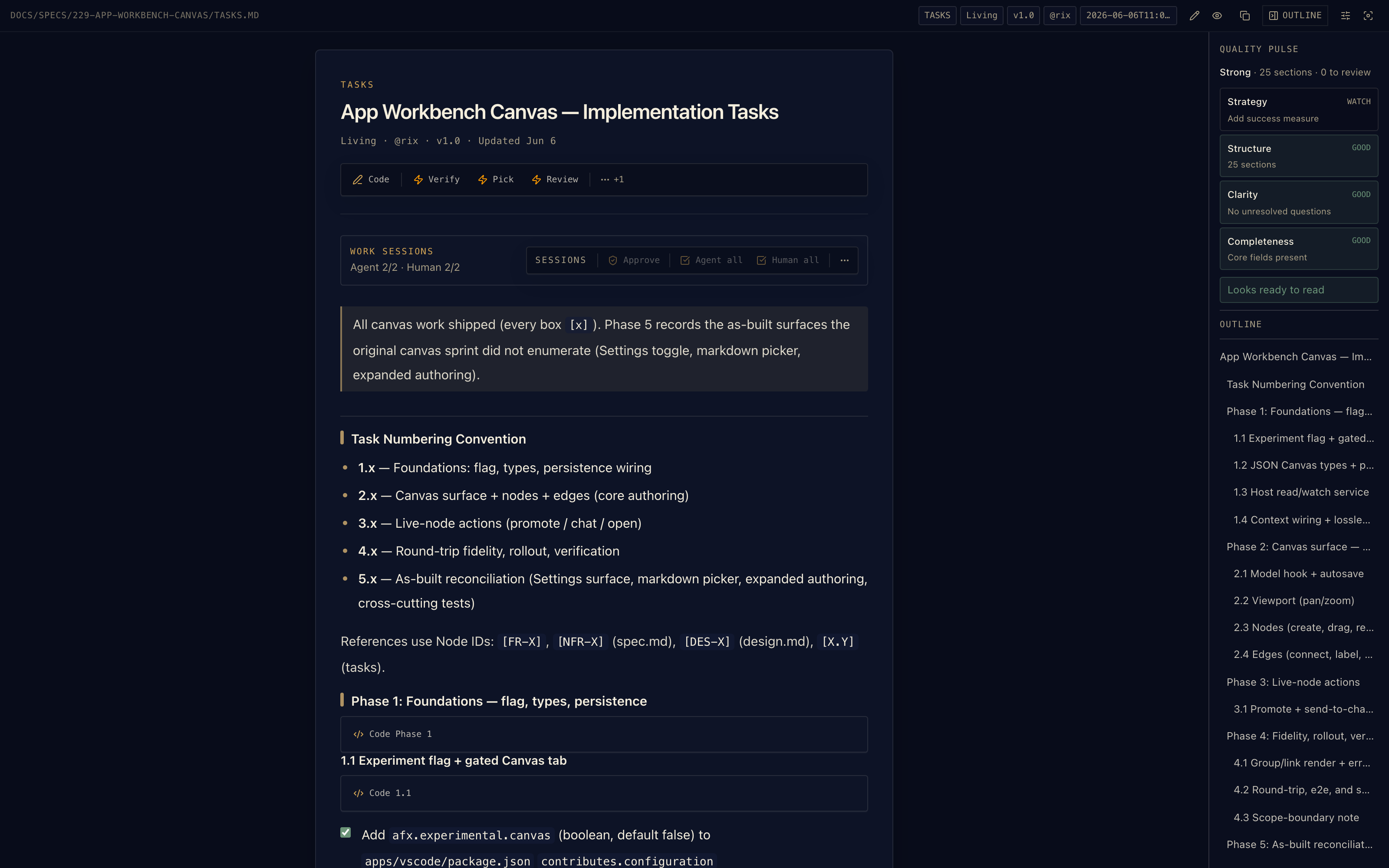
The task list isn't a description of work — selecting a task can send it to chat and start the implementation.

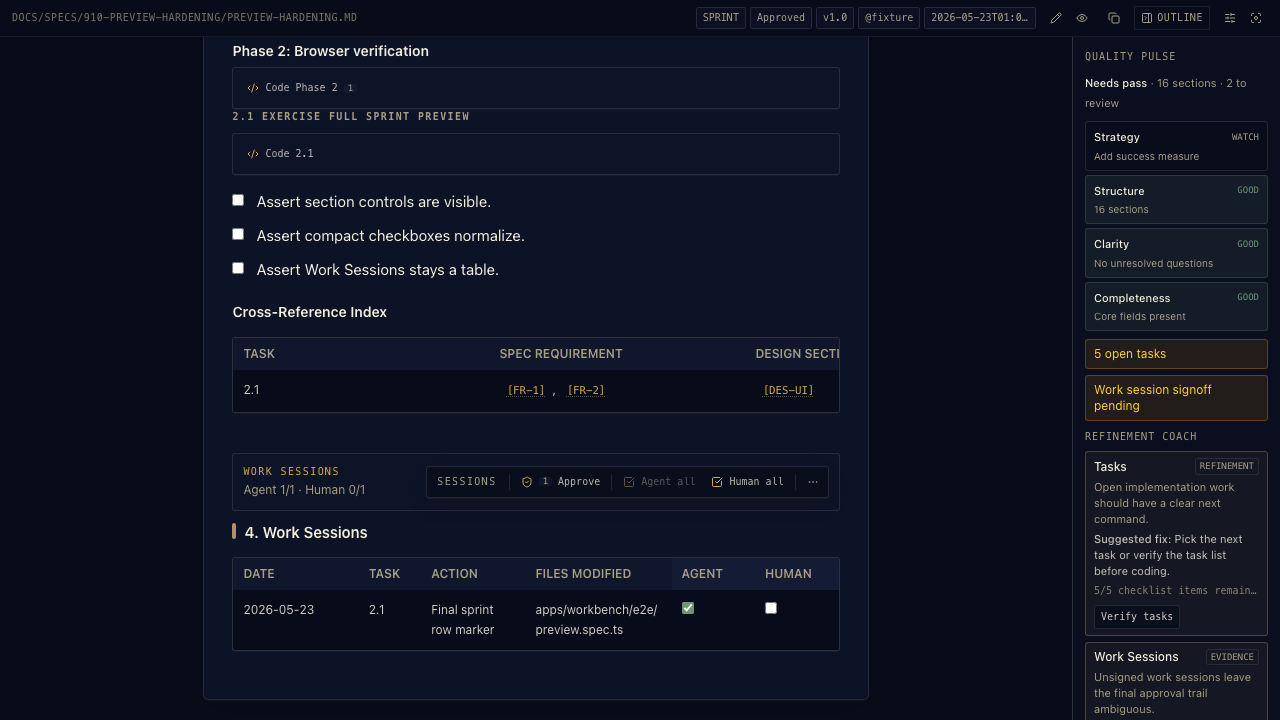
The middle step between a quick fix and a full spec: spec, design, and tasks in a single document with per-section approval — graduates to four files when scope grows.

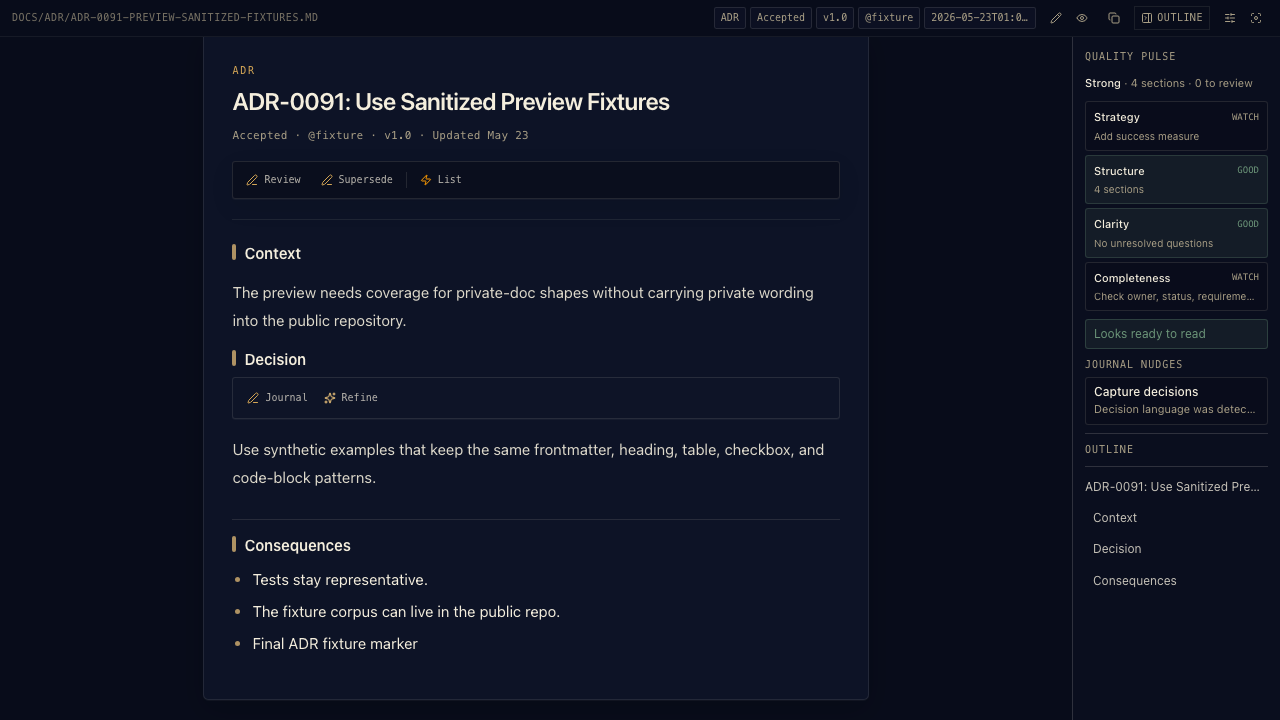
Architecture decisions live in docs/adr/ with their own lifecycle — create, review, list, supersede.

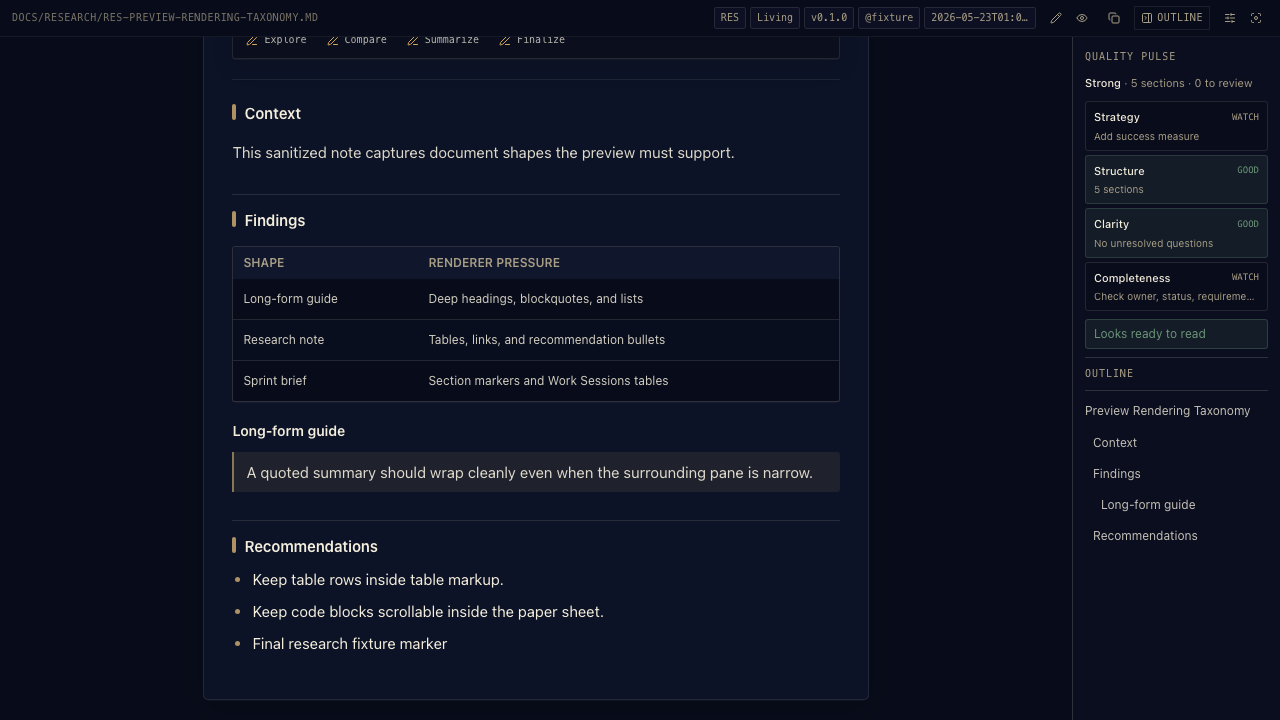
Explorations and comparisons live next to the spec they inform — and can be promoted into ADRs or spec sections when a decision lands.
Journals, notes, and generic markdown render here too — any AFX-managed file in the repo.
SDD Studio shows where every feature stands in the chain — what's living, what's blocked, and the next best step. Powered by the same AFX workflow that runs headless: four files per feature, in your repo.
Requirements with stable [FR-X] anchors.
Architecture with [DES-…] anchors per section.
Atomic checklist — then implement.
Append-only decisions; any session resumes.
Not every change deserves four files. /afx-dash gives a surgical fix just a purpose and tasks; /afx-sprint carries spec, design, and tasks in one document with per-section approval — and both graduate upward when scope grows. The full SDD guide →
When a conversation changes a spec, /afx-session capture stores the verbatim prompt that triggered it — so future sessions know why, not just what. And before any large multi-file write, a persistence checkpoint asks for your confirmation first.

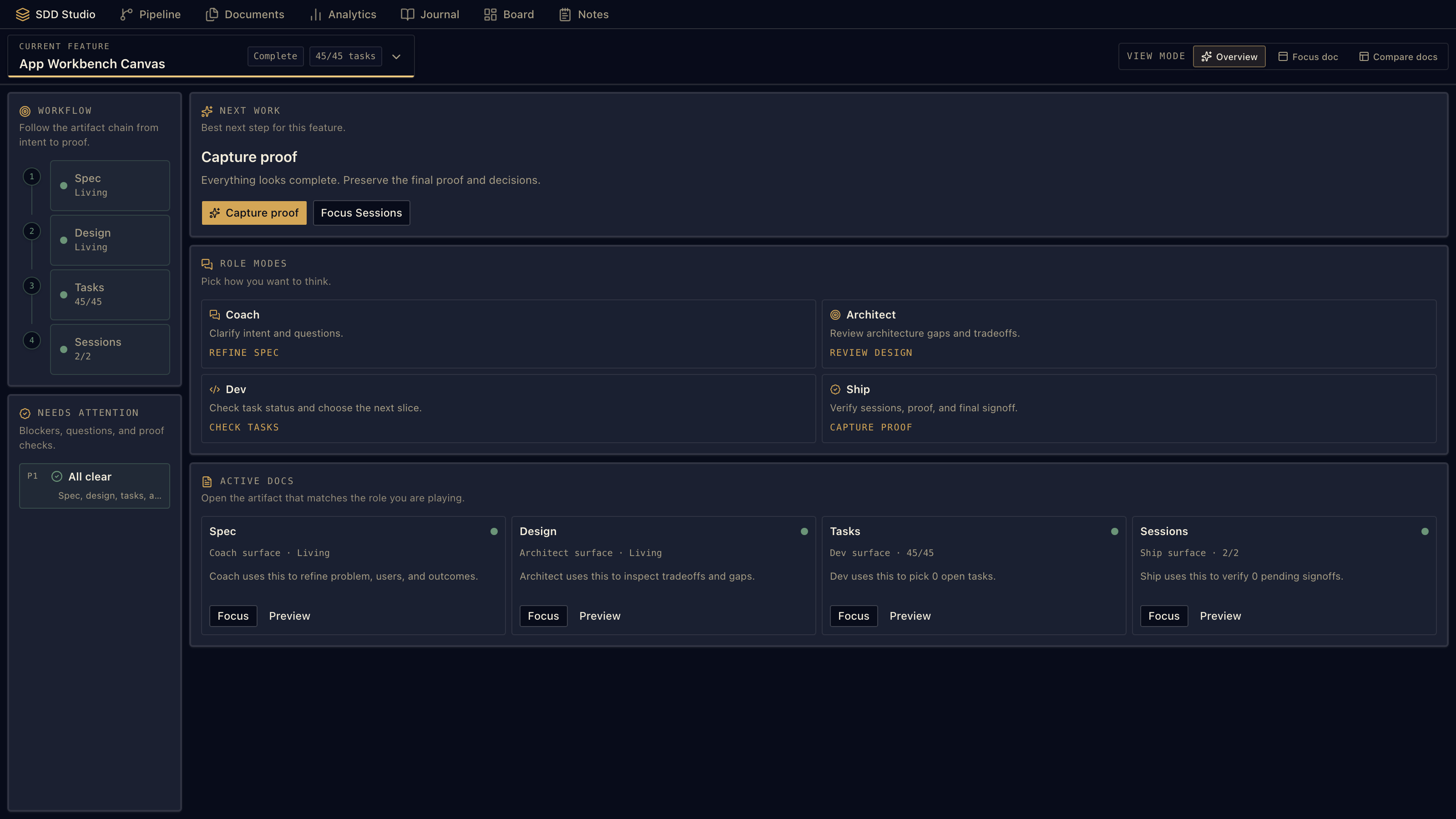
SDD Studio in Overview — SPEC · DESIGN · TASKS · SESSIONS columns per feature, with Focus-doc and Compare-docs modes and inline actions like Refine spec and Code all.
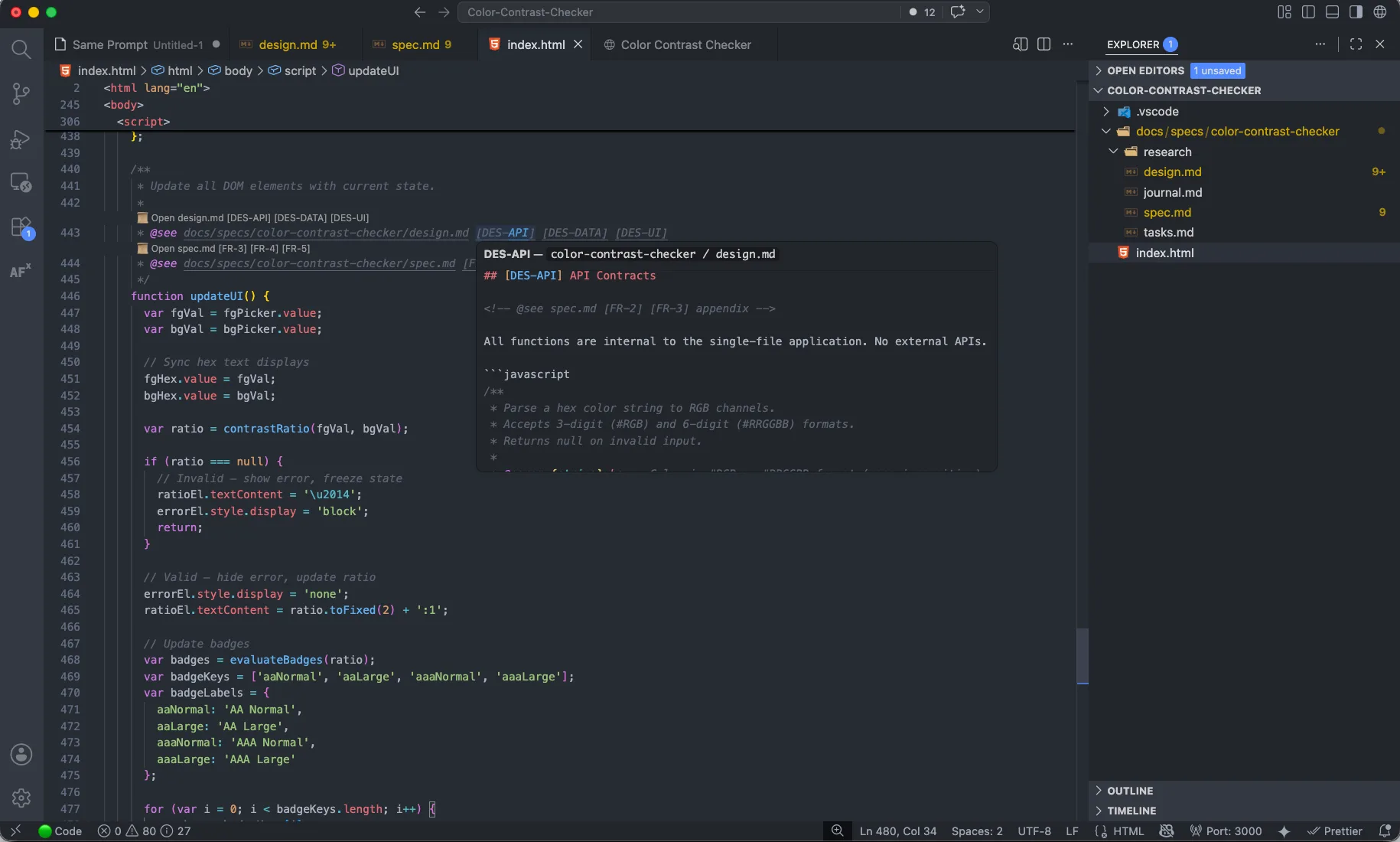
This is the loop nobody else closes. Every function carries an @see link back to the requirement that justified it — and VS Code understands those links. Ask any codebase: which requirements still have nothing behind them? AFX can answer.

Hover an anchor and the linked requirement previews inline — no context switch. Rename a file or retire an ID and the now-broken link shows up as a ghost reference you can catch in review.
Part three
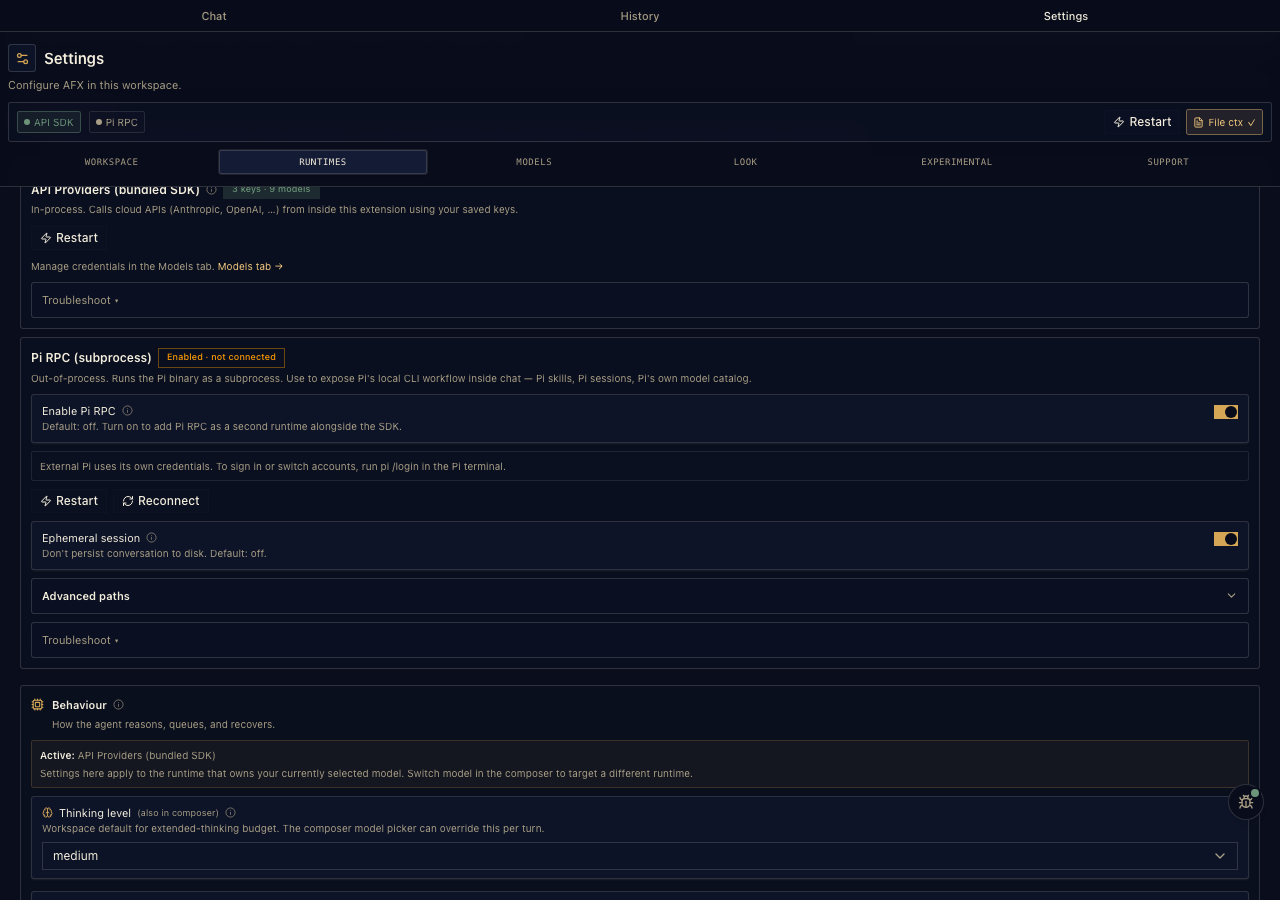
Your models, your keys — and the same workflow whether you're in VS Code or a terminal.
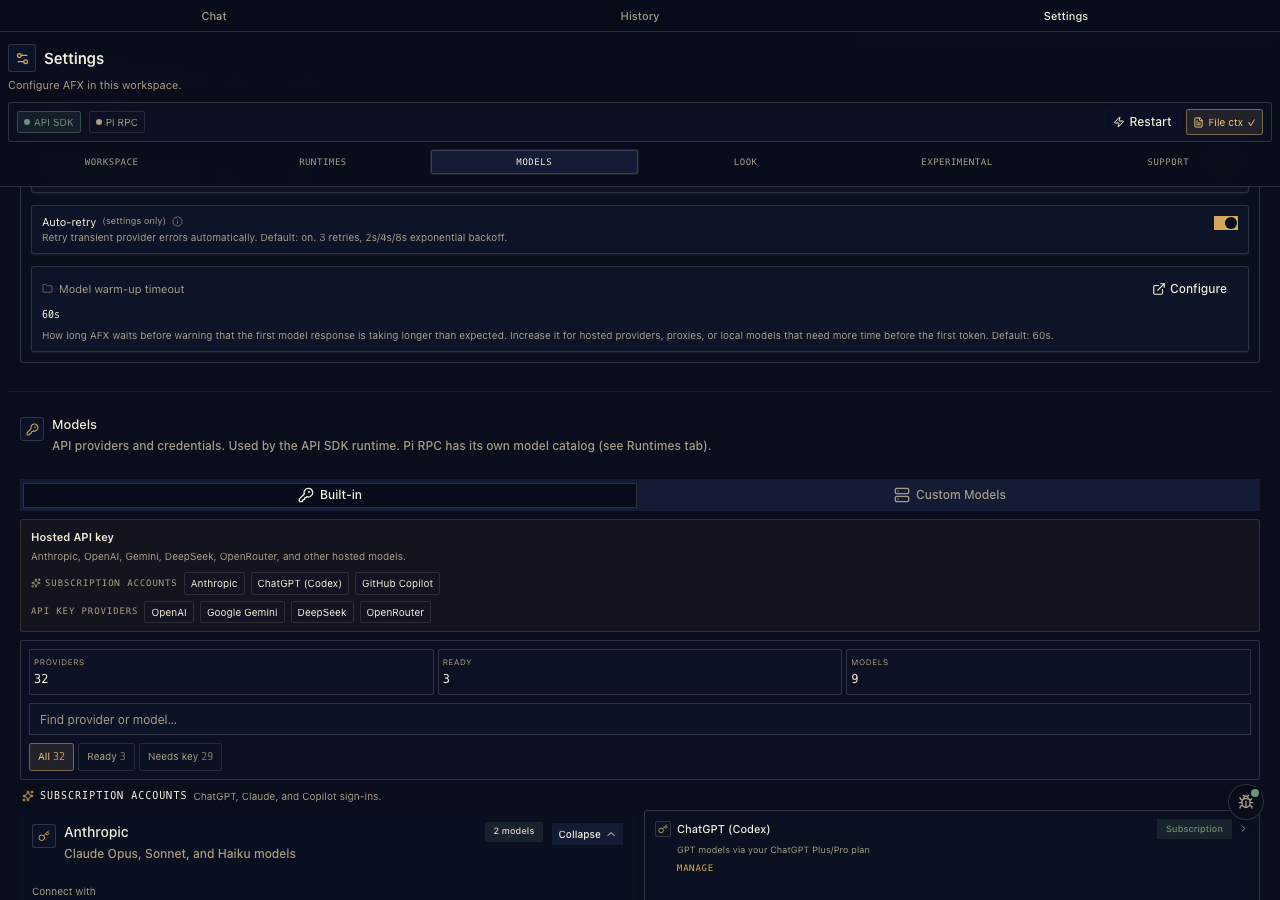
The Pi harness talks to 33 providers from one picker — switchable mid-conversation. No vendor billing: your keys, your sign-ins, your local runtimes.
Anthropic, GitHub Copilot, and ChatGPT (Codex) — proper OAuth sign-in, no key handling.
OpenAI, Gemini, DeepSeek, Groq, Mistral, OpenRouter, Bedrock, Azure, xAI… keys live in VS Code's secret store — or come from an env var or a shell command. Existing harness configs are read and reused, not migrated.
Ollama, LM Studio, vLLM — or point a custom preset at any OpenAI-compatible endpoint.
Providers Pi supports upstream
Plus presets for OpenAI-compatible endpoints & local runtimes

Every configured provider's models in one segmented selector — switch mid-conversation without losing the thread.

Subscription providers use proper OAuth flows — sign in with the plan you already pay for, including device-code sign-in that opens the right URL for you.

Point AFX at a local runtime, or let it use your installed Pi CLI and existing config.
The workflow behind the extension is a set of standard skills — the open agentskills.io format — so any compatible coding agent runs it natively: specs, designs, tasks, journals, traceability. No runtime, no lock-in. The AFX CLI is just the installer: one command drops the skills and packs into your project.
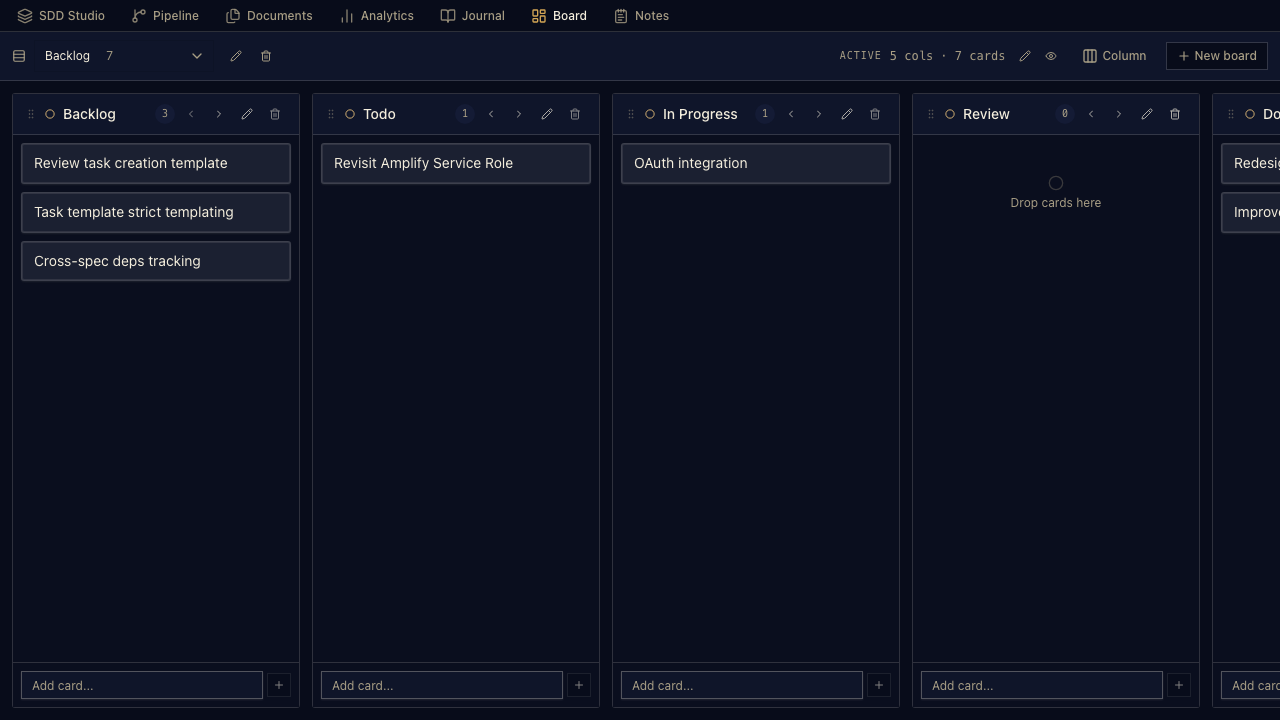
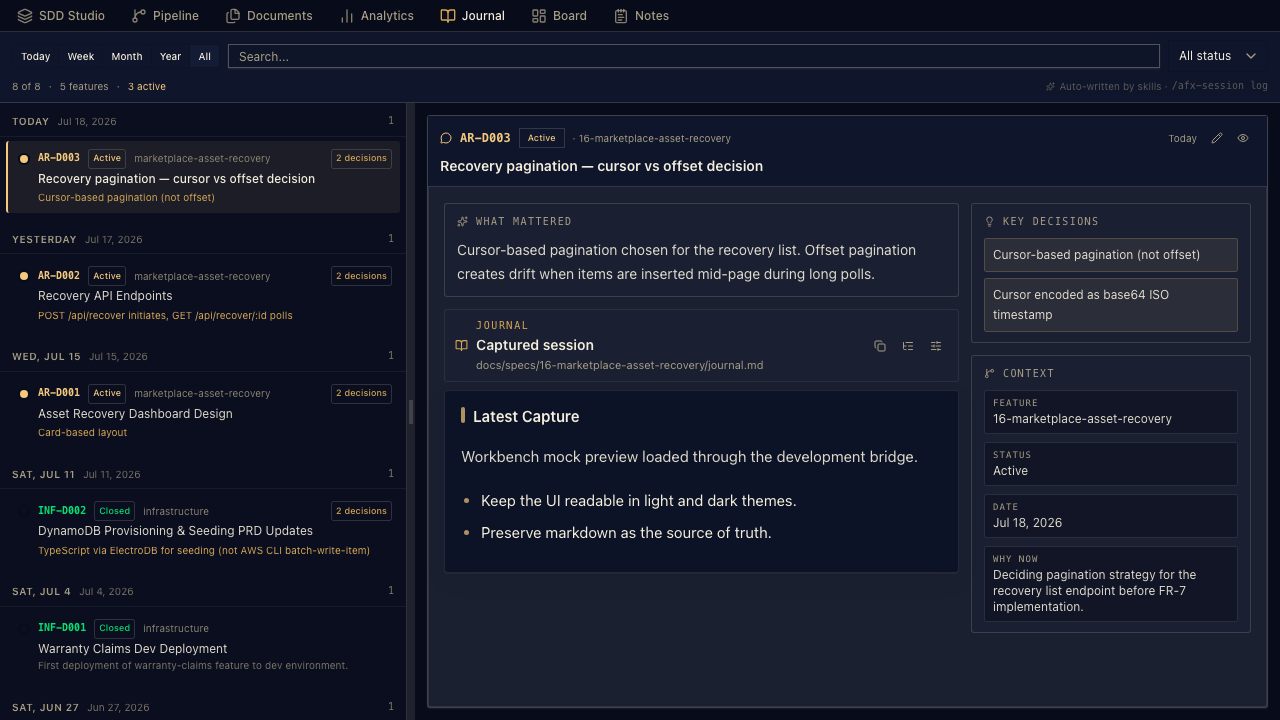
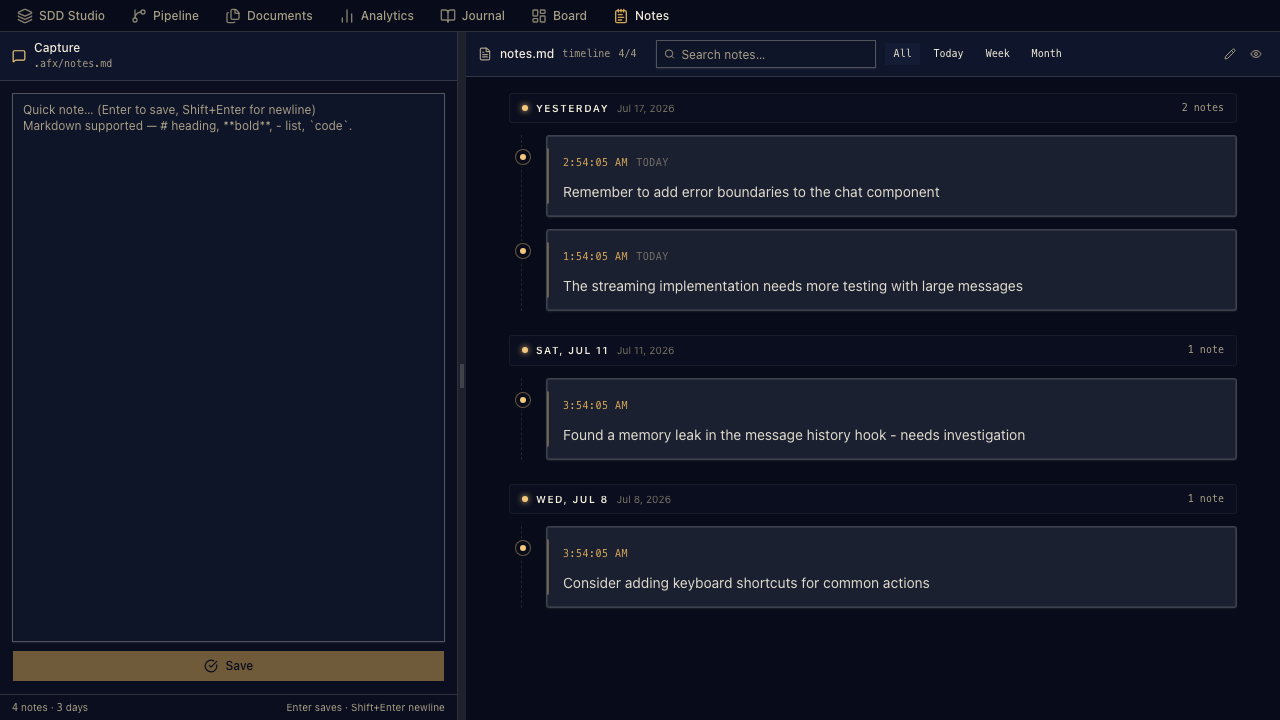
Beyond the core loop, the bottom panel is a growing set of repo-owned tools — board, journal, notes, analytics, documents, pipeline, and an experimental canvas. Every view is plain markdown in your repo; more land here over time.

Markdown-backed Kanban — lanes and cards stored as files, no external database.

The append-only session timeline — decisions and discussions, so any agent resumes where the last one stopped.

Quick capture with time labels, reader mode, edit and delete — saved straight into .afx/.

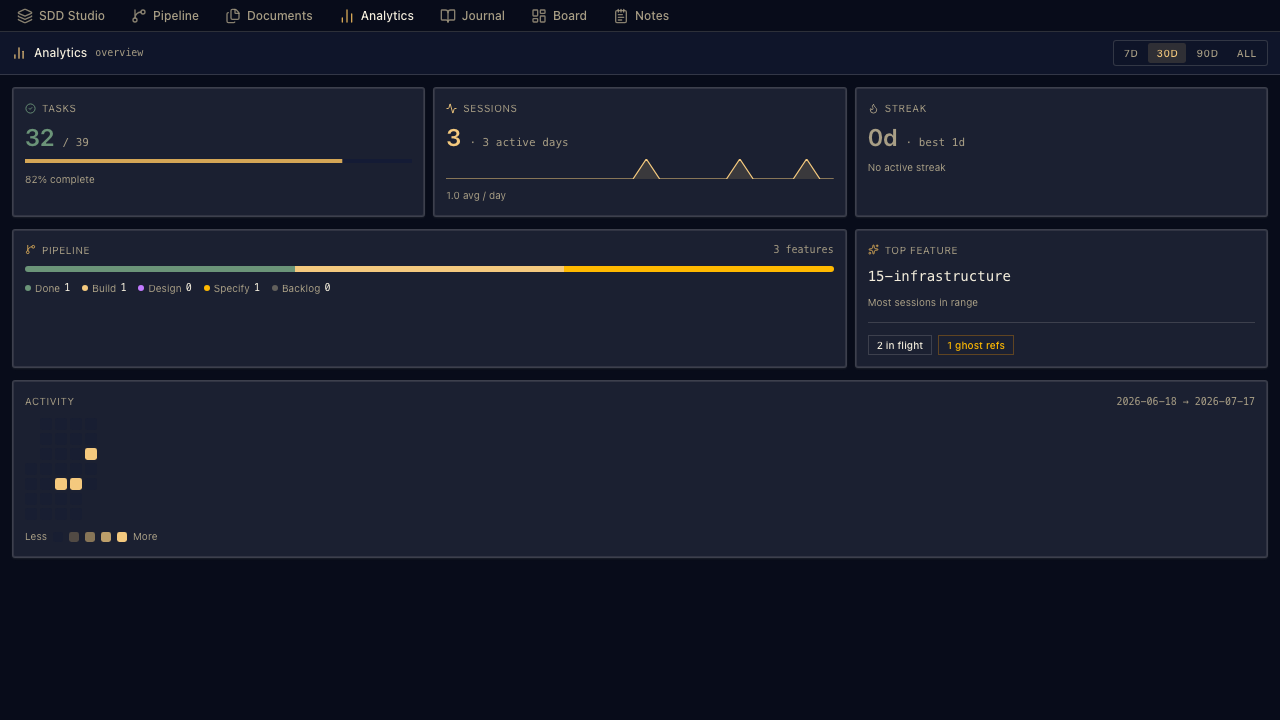
Velocity, task completion, and feature-stage KPIs with an activity heatmap — plus trace health and ghost-reference counts, so coverage gaps show up as numbers, not surprises.

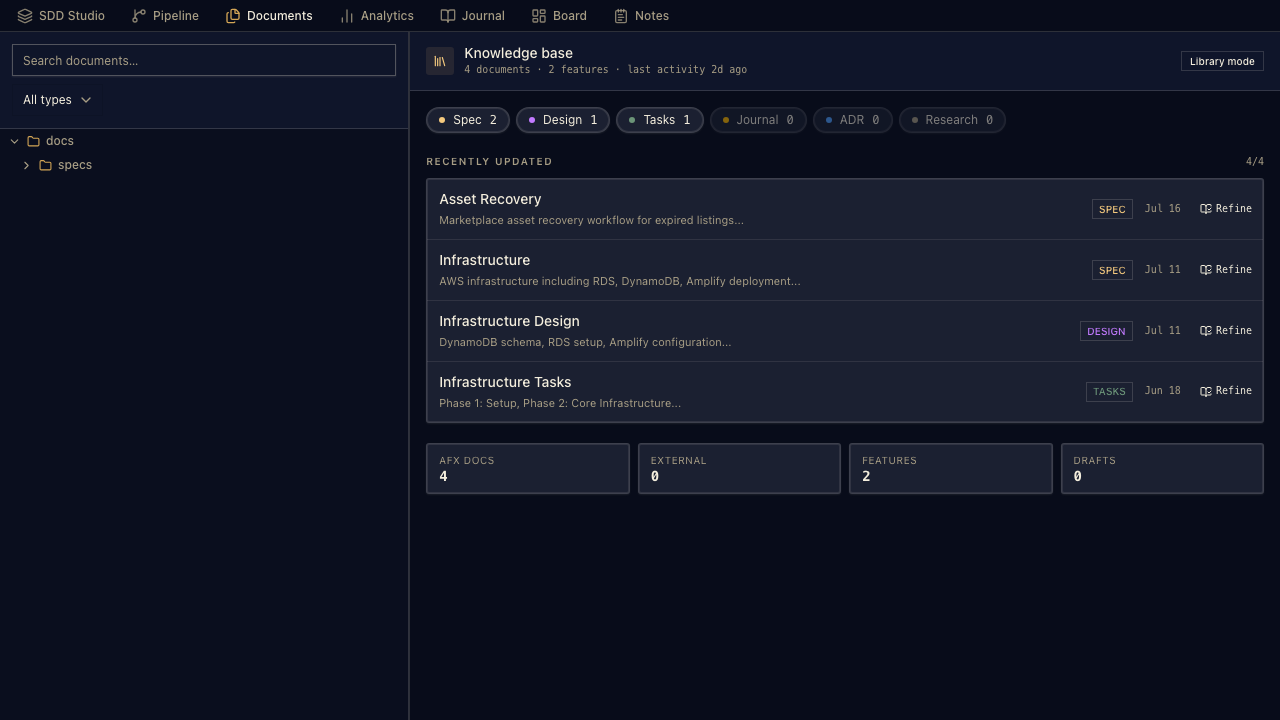
Browse and read every spec, design, and ADR in the repo tree without leaving the panel.

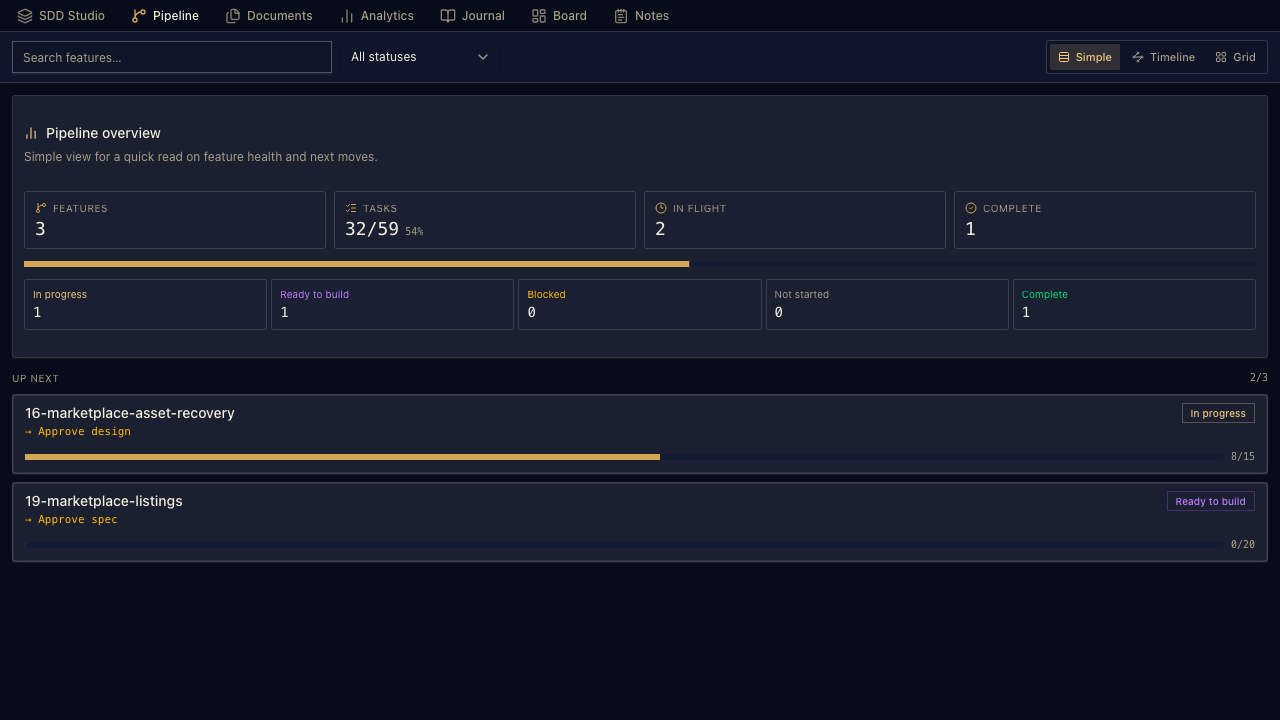
Feature progress and next actions in one place — what's moving, and what's next.

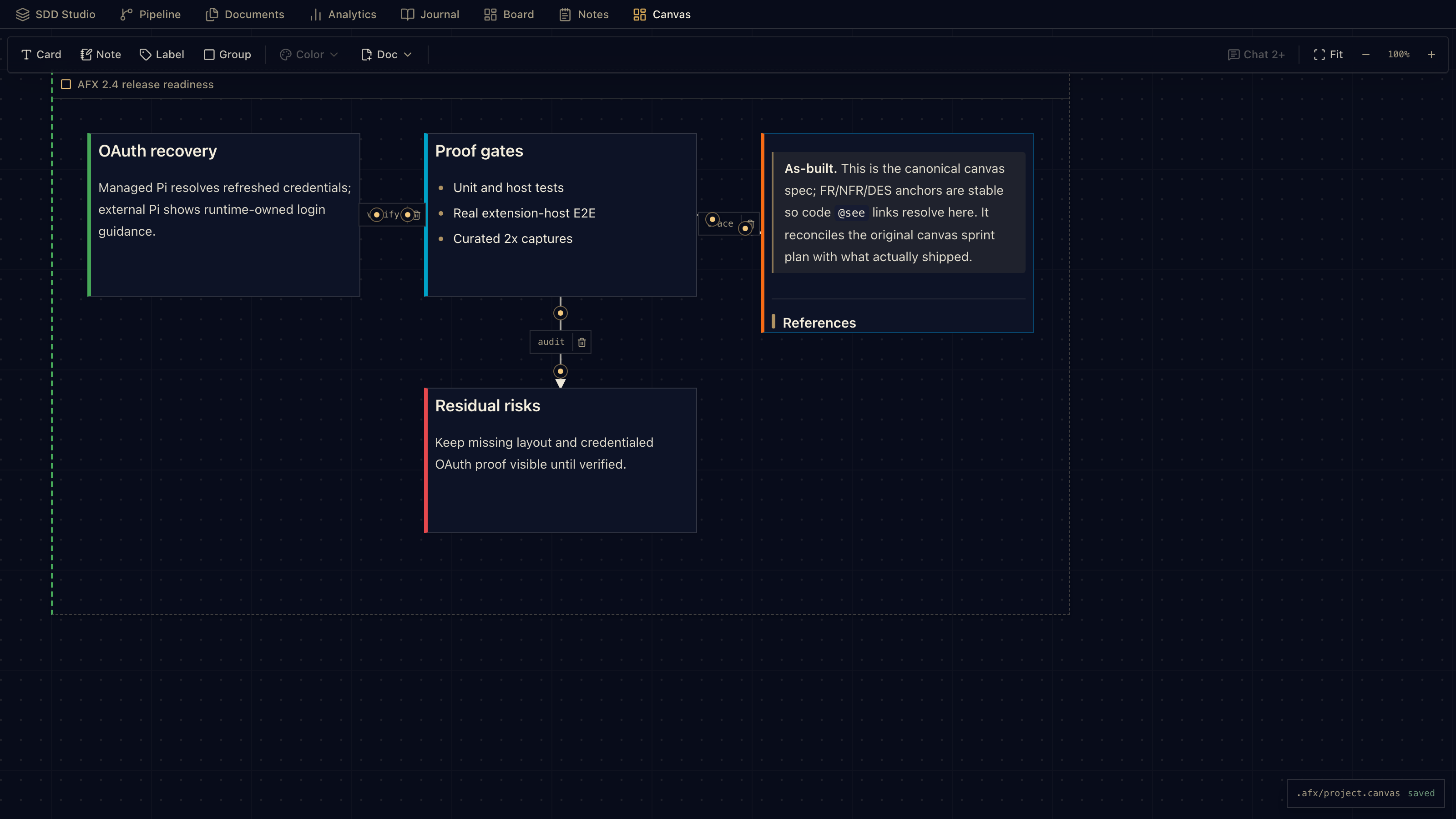
A freeform surface for specs, notes, ADRs, and architecture ideas — link cards, then send material back into chat as work. Stored as one portable JSON Canvas 1.0 file that round-trips with other canvas tools.
Every skill is a slash command — the SKILL.md name maps 1:1 to the command you type. Two ways to install:
claude plugin marketplace add AgenticFlowX/afx
claude plugin install afx-agenticflowx
The 18 core skills register as /afx-* commands — ~1k tokens always-on for the whole pack. Role packs install the same way: afx-dev, afx-qa, afx-security, afx-architect, afx-product-owner.
curl -sL https://raw.githubusercontent.com/AgenticFlowX/afx/main/afx-cli | bash -s -- .
./afx-cli --pack qa --pack security .
Installs into .claude/skills/ and/or .agents/skills/ for Claude Code, Codex, and Copilot. Add role packs with --pack, list with --pack-list, update with --update --packs.
What each pack installs:
Want a sandbox first? afx-cli example basic . scaffolds a full sample project with approved specs and traceable code. Full pack & command reference →
Real captures from the AFX end-to-end suite — not mockups.
Three open-source projects, two doors, one source of truth: the markdown in your repo.
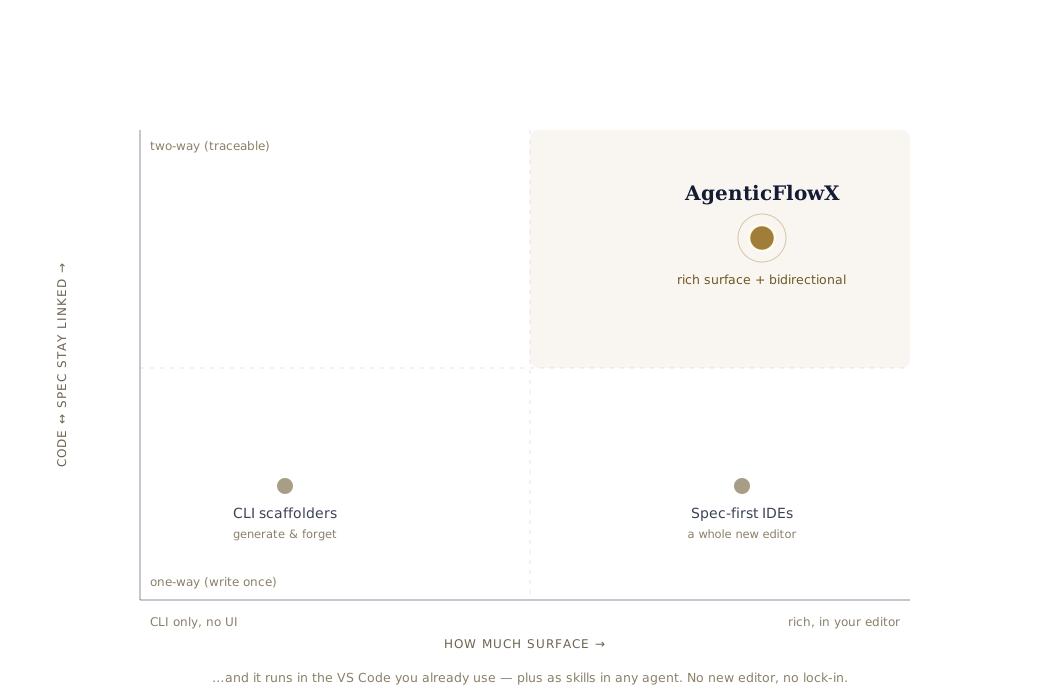
Spec-driven tools tend to come in two shapes — thin CLI scaffolders, or a whole separate spec-first editor. AFX sits in the corner neither reaches: a rich surface, in the tools you already use, with code and spec kept in sync.
Templates and slash commands that generate specs forward — then leave them behind. No visual surface, no link from code back to requirement, no memory between sessions.
A whole separate editor with its own agent and its own billing. Powerful — but you switch editors to get it, specs are still forward-only, and the workflow can't leave the IDE.
An extension in the VS Code you already use and standard skills any agent runs. Living docs that grade themselves, bidirectional @see traceability, session memory — your models, your repo, Apache-2.0.
If you already use pi.dev, AgenticFlowX talks to your installed Pi CLI and uses your existing config. If you don't, it stores provider keys in VS Code SecretStorage and passes them through the Pi SDK.
No. The extension includes the chat surface, Spec mode, Workbench views, and AFX workflow actions. Specs, tasks, notes, and journals stay as plain markdown in your workspace.
No. Most coding stays in chat. The spec-driven workflow is opt-in — reach for it when a piece of work needs traceability between intent, design, tasks, and code.
AgenticFlowX is open source under Apache 2.0. No vendor billing — you bring your own provider keys, subscription sign-ins, or local runtimes.
The Meridian design system ships with seven selectable style variants — lyra, luma, maia, nova, vega, mira, sera — so the panels match your taste, not just your theme.
Anonymous usage telemetry with a clear opt-out, and API-key fields are masked from capture. Your code, specs, and keys stay yours.
AI output is fuzzy; a parser can't be. AFX threads that needle by making headings free and IDs fixed. Sections can move, get renamed, or be added — as long as the node ID is present and unique, every reference still resolves.
One FR-1 resolves from spec → design → tasks → code. Rename any heading and it still holds — that stable anchor is what the CLI, extension, and CodeLens parse against.
FR-N / NFR-N, sequential and unique[DES-*] anchor on every section; custom ones welcome### N.N groups, scoped to files, linked by @seeOpen source, Apache 2.0 · VS Code extension & headless CLI · backed by pi.dev.
AFX stands on open source and open standards. The workflow is a hybrid of decades of proven practice; the app is built from tools worth naming.
Built with
Notation, borrowed honestly
@see traceability · Obsidian / Dataview frontmatter.